Manage API keys for external AI providers. Configure authentication for OpenAI, Anthropic, DeepSeek, OpenRouter, and more.
Adding an API Key
- Select Provider - Choose from the dropdown (OpenAI, Anthropic, DeepSeek, OpenRouter, etc.)
- Enter API Key - Paste your key in sk-... format
- Optional: Key Name - Add a friendly name like "Work Key"
- Optional: Model Names - Specify allowed models (comma-separated)
- Click "Add API Key" - Save the key to your account
Supported Providers
🤖 OpenAI
GPT-4, GPT-3.5, DALL-E, Whisper models
🧠 Anthropic
Claude 3, Claude 2 models
🔮 DeepSeek
DeepSeek Chat, DeepSeek Reasoner
🌐 OpenRouter
Access to multiple AI models through one API
💡 Pro Tip
Use descriptive names for your API keys to easily identify them later. You can also restrict which models each key can access for better cost control.
Managing Keys
- 👁️View - See your configured keys (partially masked)
- ✏️Edit - Update key settings
- 🗑️Delete - Remove keys you no longer need
- 📊Usage - View usage statistics per key
⚠️ Security Note
Never share your API keys. Keys are stored securely and only displayed partially for your protection.
Screenshots
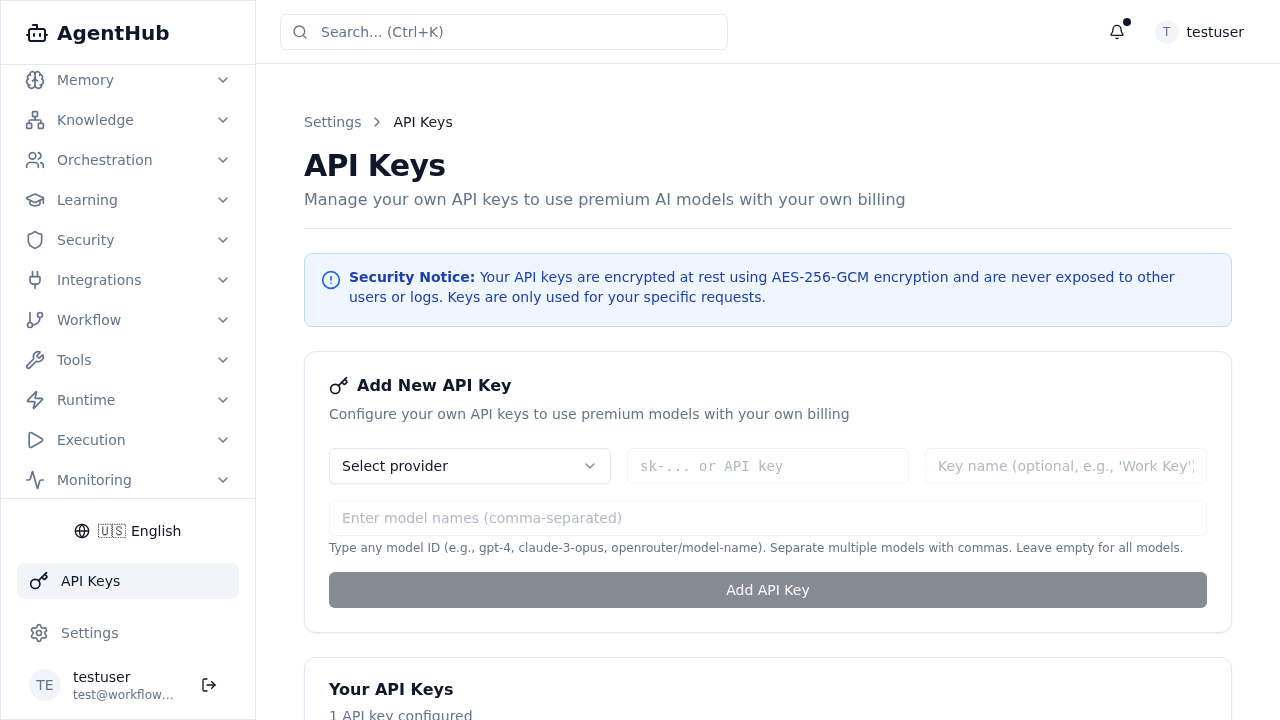
API Keys Management