Create and manage tasks/missions for your AI agents. Missions define specific objectives that agents or swarms can execute.
🚀 New Mission
Create a new mission/task for agents to execute.
🔍 Search
Find existing missions by name or parameters.
📋 Filter
Filter by status, date, priority, etc.
🔄 Refresh
Update the mission list with latest data.
Creating a Mission
- Click "Missions" in the navigation sidebar
- Click "🚀 New Mission" button to open the creation form
- Fill in mission details - Name, description, parameters
- Assign agents or swarms - Select which AI entities will work on this mission
- Set execution parameters - Priority, timeout, retry policies
- Save and launch - Your mission is now ready for execution!
💡 Pro Tip
Start with simple missions to test your agent configurations before creating complex multi-step objectives.
Screenshots
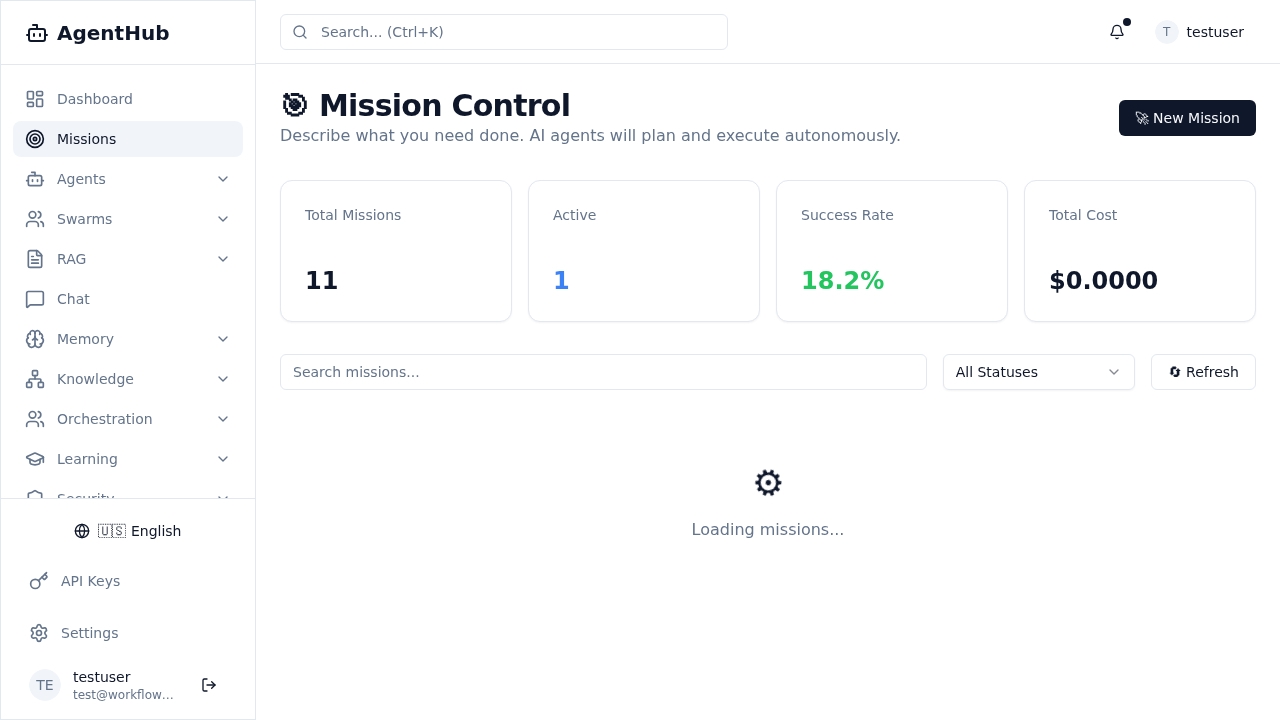
Missions Management Page